
Customer On-Demand Service Booking Standard
Step-by-step customer guide covering 2-step profile verification, saved pincode service locations (/settings/locations), multi-channel service booking (App/Chat/Email/Call), active request tracking (/dashboard), and post-service 1–10 ratings.
Households, Individual Seekers & Support Desk
https://gigjobsindia.com/
http://gjiadmin.netlify.app/
Customer Single-Role Persona (AUTH-01)
Customer (gigUser) accounts are streamlined for instant residential and personal service requests with a quick 2-step profile onboarding wizard.
1. End-to-End Architecture & Process Flowchart
Click the diagram below to inspect full resolution in lightbox view.
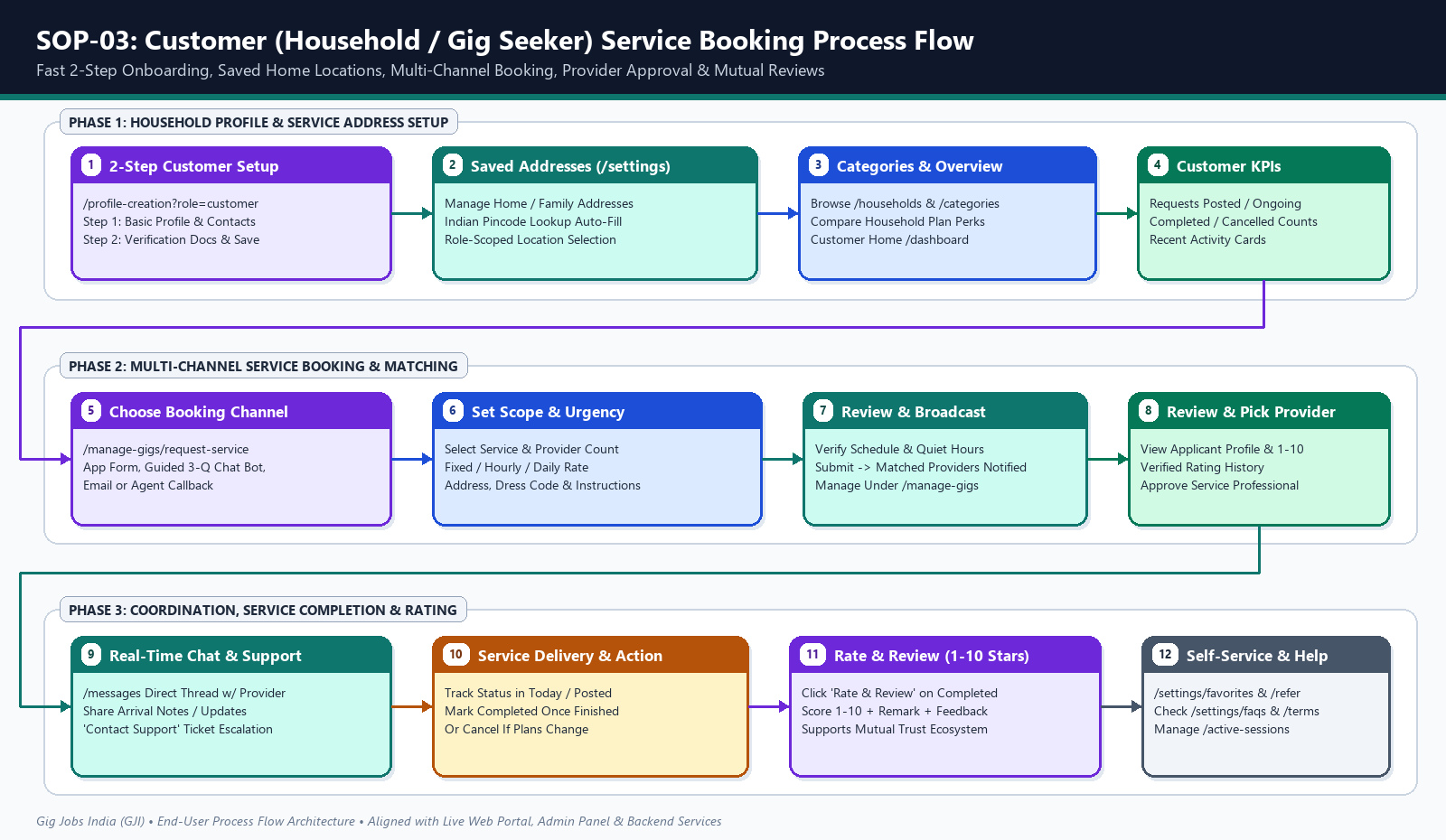
Figure 3.1 — Customer On-Demand Booking & Service Fulfillment Flow
2. Verified Role Test Credentials (Sandbox / QA)
Single-role policy (AUTH-01) enforced across every account. Mobile SMS verification uses sandbox code 123456.
| Persona Role | Email (Click to Copy) | Password (Click to Copy) | Wallet | Operational Scope |
|---|---|---|---|---|
| Candidate (Gig Worker) | ₹5,000.00 | 7-step KYC profile, gig applications, shift attendance, UPI/NEFT payouts | ||
| Employer (Business) | ₹25,000.00 | 3-stage request wizard, applicant screening/approval, timesheets & reviews | ||
| Customer (Client) | ₹10,000.00 | On-demand service bookings, saved pincode locations, direct chat & ratings | ||
| Operations Admin (Staff) | N/A | Admin portal perimeter gate, KYC moderation, RBAC, ledger & support inbox |
3. Detailed Click-by-Click Operating Procedures
Customer Service Hub & Active Requests Overview
Tracks Requests Posted, In Progress, Completed, and Cancelled bookings alongside recent status cards and quick Request Service CTA.
| # | User Action | UI Component / Control | Input / Validation Rule | Expected System Response |
|---|---|---|---|---|
| 1 | Sign in with customer test credentials | /auth/signin -> "Sign In" | test.customer@gigjobsindia.com / GjiTest#2026Customer! | Loads GigUserTopNavigation (Home, Manage Gigs, Messages, Settings) and /dashboard. |
| 2 | Monitor real-time request progress | Recent Requests section | Shows Matched/Assigned status badge and provider assignment | Allows clicking through to View Details, Live Chat, or Cancel Request before shift start. |
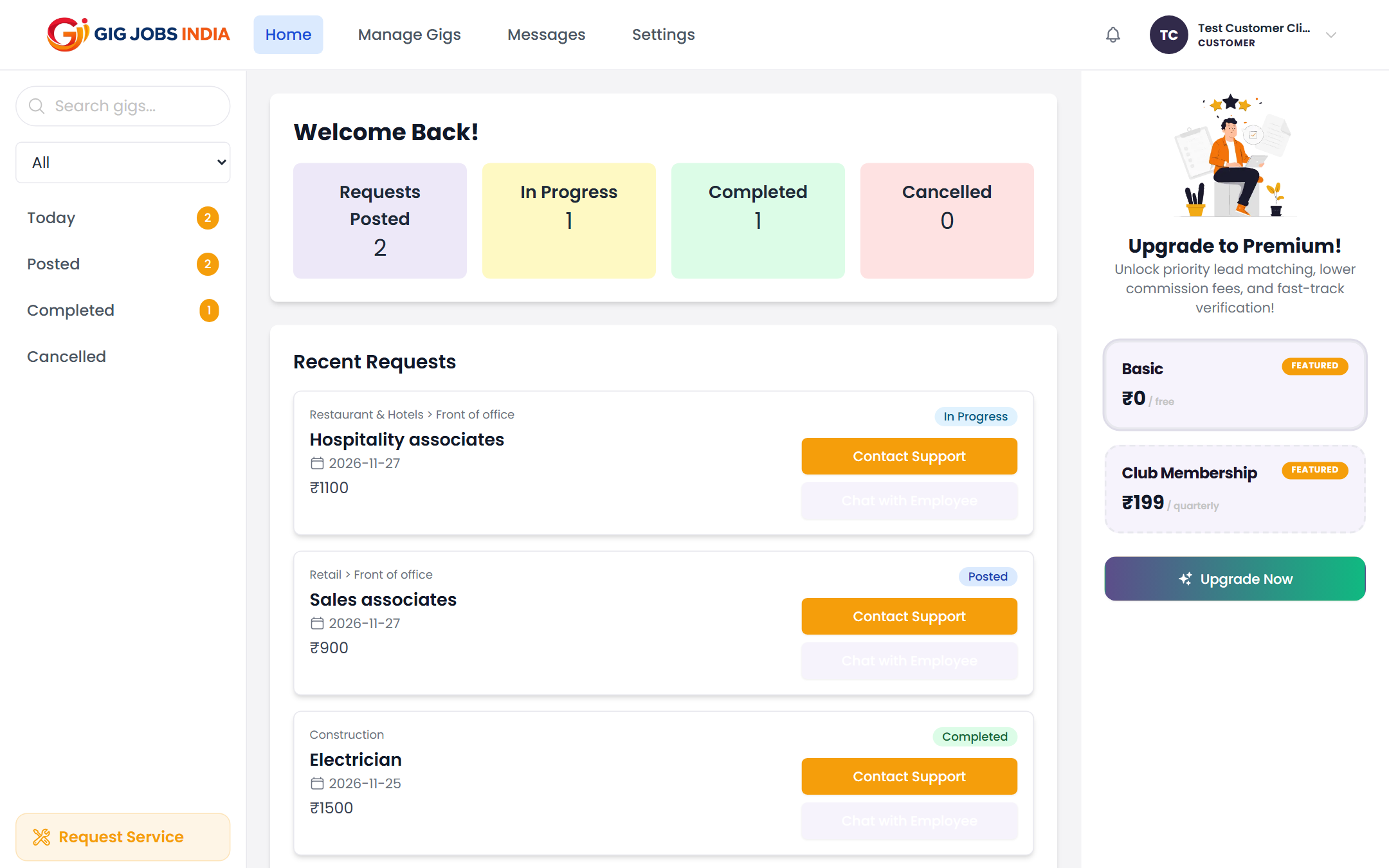
Figure 3.2 — Customer Command Dashboard (/dashboard)
Saved Locations & Pincode Address Management
Pre-configures home or office addresses with automated India Post Office pincode lookup so 1-click service requests stay fast and accurate.
| # | User Action | UI Component / Control | Input / Validation Rule | Expected System Response |
|---|---|---|---|---|
| 1 | Open Settings -> Saved Locations | Top Nav -> Settings -> "Locations" (/settings/locations) | Fetches saved addresses from user_locations table | Lists existing primary/secondary addresses with Edit/Default controls. |
| 2 | Add a new service address | Location Name, Address Line 1/2, Pincode, City, State -> "Add Address" | Entering 6-digit Pincode auto-populates City and State | Ticking "Make this the default address" marks primary pin for Request Service defaults. |
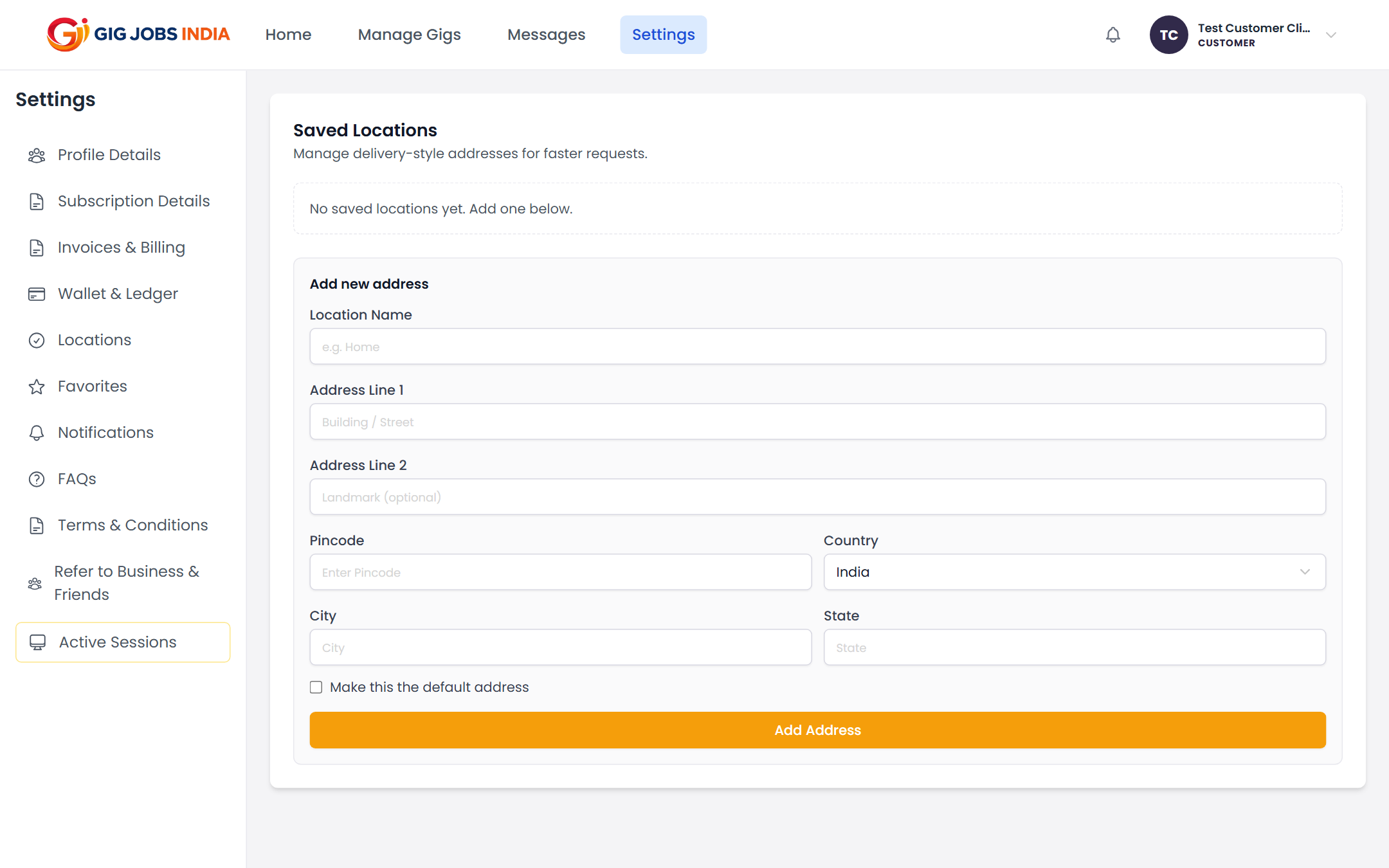
Figure 3.3 — Saved Locations & Pincode Auto-Fill (/settings/locations)
Multi-Channel Service Request & Coordination Chat
Selects App, Guided Chat, Email, or Callback mode to book verified electricians, cleaners, cooks, or drivers, then coordinates arrival via /messages.
| # | User Action | UI Component / Control | Input / Validation Rule | Expected System Response |
|---|---|---|---|---|
| 1 | Launch Request Service flow | Bottom-left "Request Service" button | Pick App (structured form) or Chat (guided Q&A) | Submits request with up-front estimate and assigns top-rated specialist. |
| 2 | Coordinate arrival & submit 1–10 rating | /messages + /ReviewRating | Share gate entry notes in chat; rate 1–10 stars upon completion | Records JobReview telemetry and closes service ticket cleanly. |
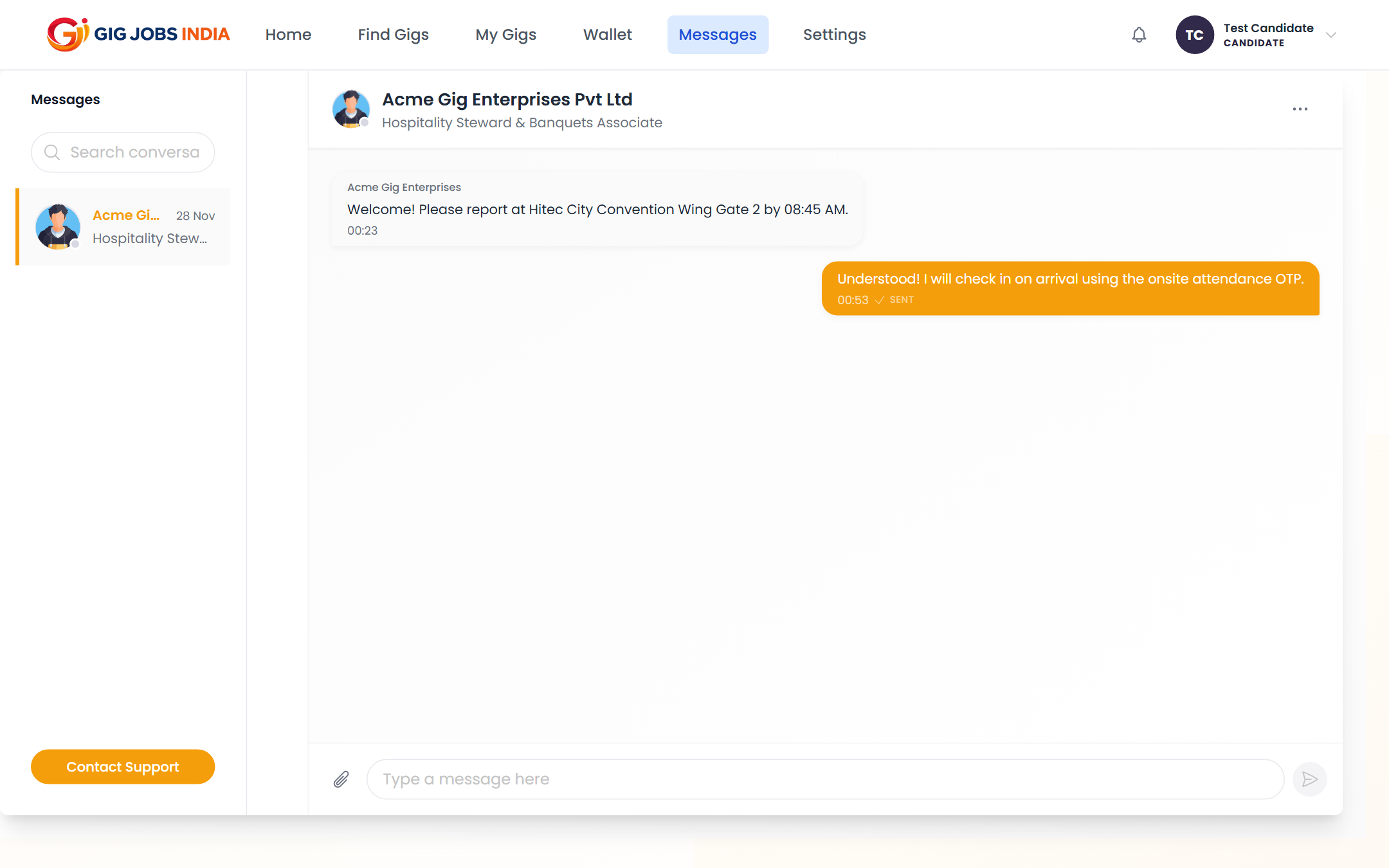
Figure 3.4 — Provider Coordination Chat (/messages)